















A reliable office printer does more than print documents. It can help your business save time, reduce admin, improve workflows, and keep everyday operations moving.
That is why many South African businesses are moving towards multifunction printers. Instead of relying on separate devices for printing, scanning, copying, and document sharing, an all-in-one printer brings essential office functions together in one solution.
Whether you are running a small office, managing a growing business, or supporting multiple departments, choosing the right multifunction printer can make a meaningful difference to productivity and long-term costs. This guide will help you understand what to look for before investing in a copier printer scanner for your business.
What is an all-in-one printer and what can it do?
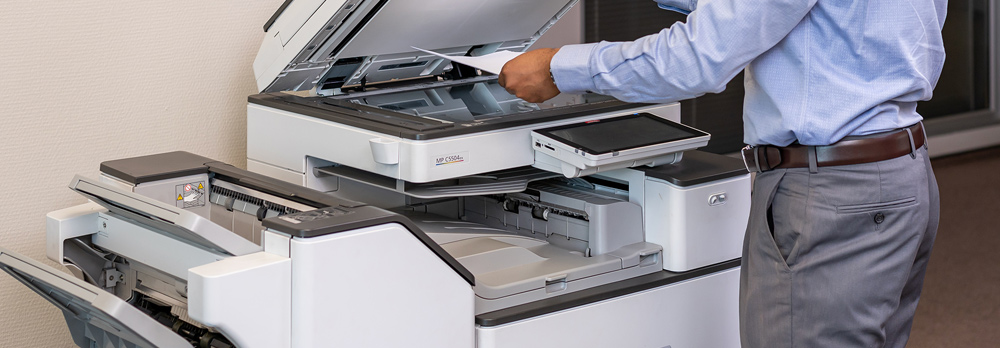
An all-in-one printer, also known as a multifunction printer (MFP), combines several office functions into a single device. Instead of managing separate printers, scanners, and photocopiers, businesses can handle everything from one central solution. This makes a printer with copier and scanner functionality a practical choice for businesses looking to simplify workflows and improve efficiency.
Depending on the model, a multifunction printer can:
• Print documents
• Scan documents
• Copy documents
• Fax documents
• Scan to email
• Connect to cloud-based workflows
• Support wireless and mobile printing
• Manage secure document release
A printer with copier and scanner functionality is especially useful for businesses that want to simplify document management without adding more equipment to the office. It can also help teams work more efficiently by reducing the time spent moving between different devices.
For businesses with regular admin, finance, sales, or operations paperwork, a printer scanner and copier all in one setup can support the daily flow of documents while keeping the office more organised.

Types of multifunction printers
Not all multifunction printers are built for the same environment. Choosing the right type depends on how your business works and what your printing requirements look like.
Black-and-white multifunction printers
Black-and-white multifunction printers are ideal for businesses that produce large volumes of contracts, invoices, reports, and administrative documents.
These devices are often chosen for:
• Lower printing costs
• Faster print speeds
• Reliable high-volume output
• Everyday business documentation
If your office mainly prints text-heavy documents, a black-and-white multifunction printer can offer the performance you need without paying for colour capabilities you may not use often.
These solutions are especially useful for businesses comparing copiers and printers for finance teams, admin departments, legal documentation, and operational reporting.
Colour multifunction printers are better suited to businesses that regularly produce presentations, proposals, brochures, training materials, reports, and customer-facing documents.
These devices combine document management functionality with professional-quality colour output, helping businesses keep printed communication clear and polished.
For teams that need a printer copier solution for both internal workflows and client-facing materials, colour functionality can help maintain a more professional standard across printed work.
Key features to look for in a business MFP
Choosing a multifunction printer should involve more than comparing purchase prices.
The right device should support your team’s daily workflow, your current print volume, and your future business needs.
Print speed
Print speed is measured in pages per minute, or ppm. Businesses with high print volumes should prioritise a device that can keep up with demand, especially if several users will be sending jobs to the printer throughout the day.
A slower device may work for a small team, but it can quickly become a bottleneck in a busy office.
Scanning capabilities
Modern businesses rely heavily on digital document workflows. Features like duplex scanning, scan-to-email, and fast document feeding can save time when teams need to digitise paperwork quickly.
A printer scanner photocopier with advanced scanning features is especially useful for businesses that manage contracts, invoices, delivery notes, HR documents, and customer records.
Cloud integration
Cloud-connected printers make it easier to move documents into digital workflows. Users can scan, store, and share documents through cloud-based systems, helping teams access information more easily.
This is useful for businesses with hybrid teams, multiple locations, or departments that need quicker access to shared documents.
Security features
Business printers often handle sensitive information, from financial records to employee documents and customer data. Security features such as user authentication, access controls, secure print release, and document tracking can help protect confidential information.
For organisations with multiple users, secure printing can also reduce the risk of documents being collected by the wrong person.
Mobile and wireless printing
With flexible and hybrid working now part of everyday business, employees often need to print from laptops, tablets, and smartphones.
An office printer all in one solution with mobile and wireless printing can make it easier for teams to print and scan from different devices without slowing down the workday.
Running costs
The upfront cost of a printer is only one part of the investment. Businesses should also consider toner, maintenance, servicing, energy use, and replacement parts.
A device that looks affordable upfront may cost more over time if it is not suited to your print volume or if consumables need to be replaced too often.
How to choose the right printer for your office
Every office works differently, so there is no single multifunction printer that suits every business. The best choice depends on your team size, workflow, print volume, and the level of functionality you need.
Small teams
Small teams should look for compact multifunction printers that balance functionality with affordability. A printer scanner small enough to fit comfortably into a compact workspace can still deliver the essential features needed for day-to-day operations.
The best multifunction printer for small business needs is usually one that is easy to use, cost-effective to maintain, and reliable enough for everyday admin.
Growing businesses
Growing businesses should prioritise scalability, faster print speeds, stronger scanning features, and workflow support.
As teams expand, print requirements often increase. A device that was suitable for a small team may not be able to support higher volumes, more users, or more advanced document processes.
Larger organisations
Larger organisations should focus on high-volume multifunction printers that can support multiple users, departments, and workflows at the same time.
These businesses may need stronger security, advanced finishing options, managed print support, and devices that integrate with wider business systems.

Common mistakes businesses make when buying printers
Choosing based on purchase price alone
The cheapest printer is not always the most cost-effective option. If the device cannot keep up with your business needs, it may lead to downtime, frustration, and higher running costs.
Ignoring running costs
Toner, servicing, consumables, and maintenance can have a major impact on long-term value. This is especially important when investing in a copier scanner printer for regular business use.
Choosing the wrong print volume
Using an entry-level printer in a high-volume office can slow teams down and increase wear on the device. It is important to choose a model that matches your current output and can support future growth.
Overlooking support
Reliable support and servicing are often just as important as the printer itself. When something goes wrong, fast support can help reduce downtime and keep your business moving.
Not planning for growth
Businesses that choose equipment based only on current needs may outgrow it sooner than expected. It is better to consider where your business is going, especially if your team, workload, or document requirements are expected to increase.
Why Nashua MFP solutions stand out
Choosing the right multifunction printer is easier when you have expert guidance.
Nashua helps businesses assess their printing requirements and recommends solutions based on workflow needs, print volumes, budget considerations, and long-term value. Whether you need a basic all-in-one printer for a smaller team or a more advanced multifunction printer for a larger organisation, Nashua can help you find a solution that fits the way your business works.
This approach gives businesses more than a device. It gives them a printing solution that can improve productivity, reduce unnecessary costs, and support smoother document management.